
Once you’ve created an announcement, you may optionally email it to individuals or a group of users.
Send Announcement by Email
Announcements can be sent via email to one or more users. You may only email users your role has permissions to.
Click the Users  icon in the Navigation panel.
The ‘Users’ screen displays.
This screen provides a list of all users with accounts in Apporto.
Check the checkboxes next to the user(s) you’d like to send the announcement to.
To send the announcement to a group, first filter by group name, then select all users in the group.
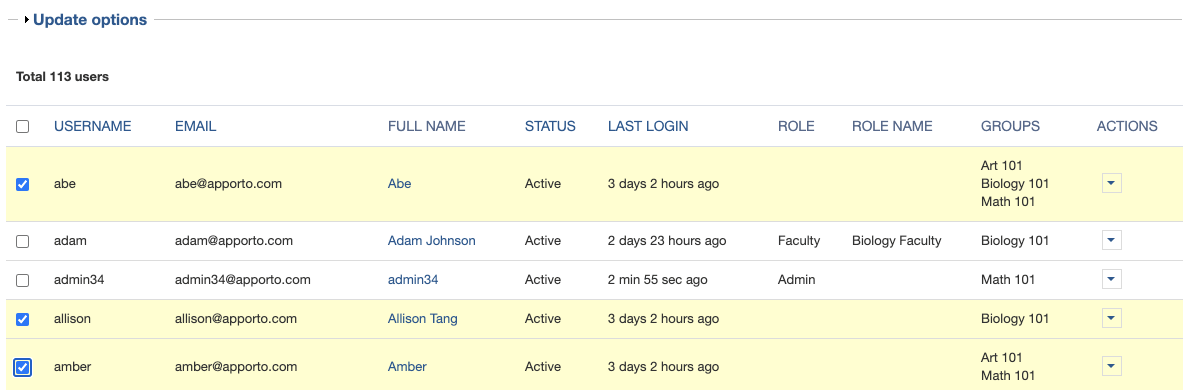
Click the Update options link.
The screen refreshes to display the ‘Update options’ menu.
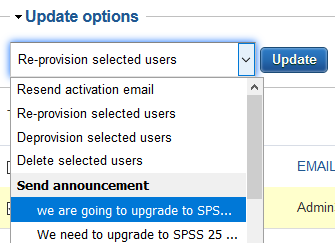
Select the announcement you want to send from the Send announcement section of the menu.
Click Update to send the announcement.
When the email is successfully sent, a confirmation message displays at the top of the screen.
Related to
Comments
0 comments
Please sign in to leave a comment.