
You can edit or add a users Permissions in Apporto as an Admin. Here are the steps for a user who has already been created in the system.
Apporto users may be edited individually or in bulk. Manual bulk edits are possible through the “update options” feature. Additional bulk editing functionality is handled through user import. For information on this type of update, see the article on importing users.
- Using a supported Web browser, navigate to the Web address provided by your administrator.
The link should resemble yourorganization.apporto.com, where yourorganization is the name of your company. - Log in to the system using your credentials.
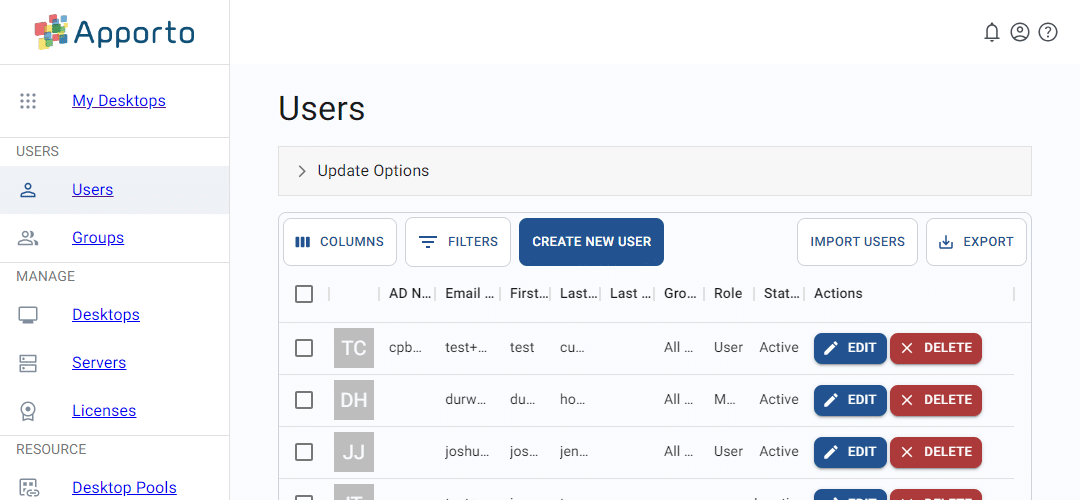
- Click users or the
 icon in the navigation panel.
 - Locate the User and click Edit
5. Change the User's role on the screen that appears next:
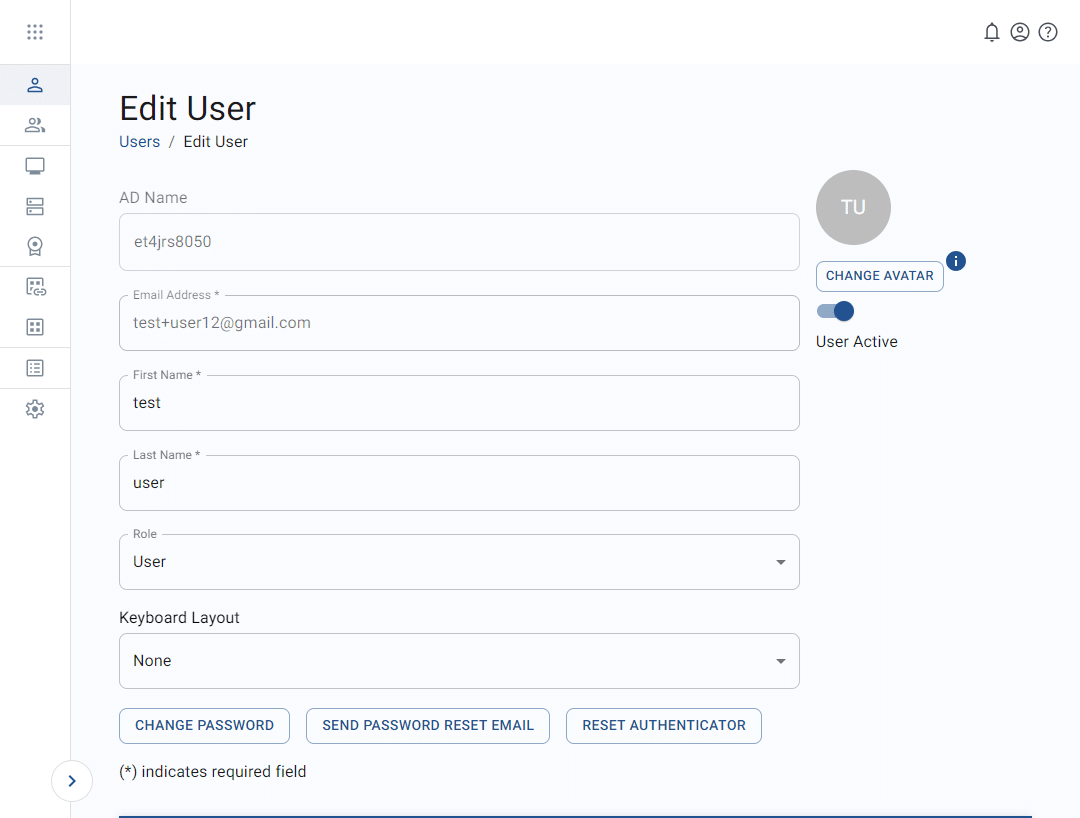
You can learn more about users & roles here:
1. Editing A User
Related to
Comments
0 comments
Please sign in to leave a comment.